windwos 11专业版 active 激活
- 工作小总结&小工具类
- 时间:2025-11-12 14:06
- 579人已阅读
简介
没有激活。操作步骤:HowtoActivateWindows/Office/ExtendedUpdates(ESU)?Method1-PowerShell❤️infoOpenPowerShellClickthe StartMenu,type PowerShell,thenopenit.Copyandpastethecodebelow,thenpressenter.For&nbs
🔔🔔好消息!好消息!🔔🔔
有需要的朋友👉:微信号


没有激活。操作步骤:

How to Activate Windows / Office / Extended Updates (ESU)?
Method 1 - PowerShell ❤️
info
Open PowerShell
Click the Start Menu, typePowerShell, then open it.Copy and paste the code below, then press enter.
For Windows 8, 10, 11: 📌
irm https://get.activated.win | iexIf the above is blocked (by ISP/DNS), try this (needs updated Windows 10 or 11):
iex (curl.exe -s --doh-url https://1.1.1.1/dns-query https://get.activated.win | Out-String)For Windows 7 and later:
iex ((New-Object Net.WebClient).DownloadString('https://get.activated.win'))Script not launching❓Use Method 2.
The activation menu will appear. Choose the green-highlighted options to activate Windows or Office.
Done!

选择1:
 再次查看之后: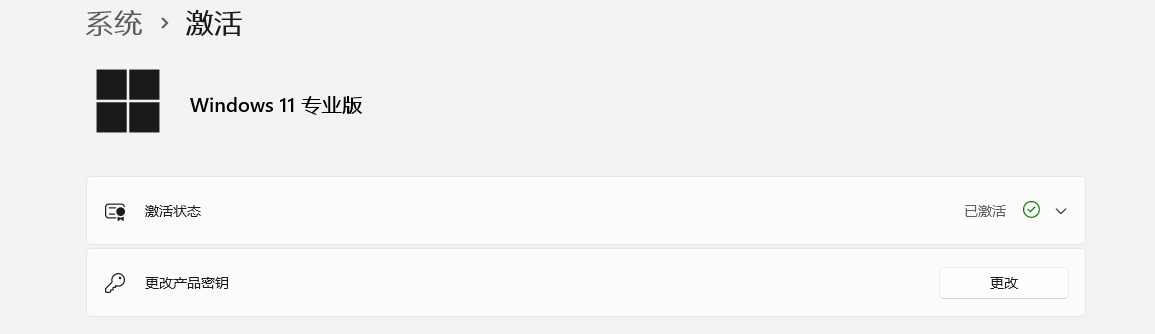
上一篇: 关于AI一些思考
下一篇: 设置小米电视盒子4C开机启动