【实用】div选中添加√,并将选中的图片在其他地方显示
在工作中我们有可能会遇到:这里开个就做个简单的demo:直接上代码:<!DOCTYPE html><html><head><meta charset="UTF-8"><title>点击div左上角出现对勾选中效果</title><style type="text
在工作中我们有可能会遇到:
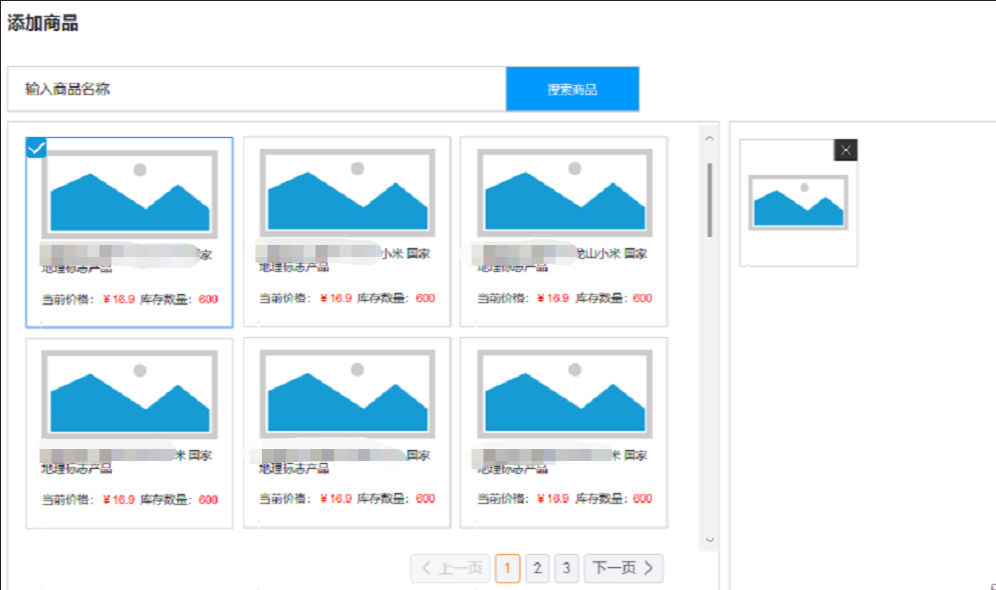
这里开个就做个简单的demo:
直接上代码:
<!DOCTYPE html>
<html>
<head>
<meta charset="UTF-8">
<title>点击div左上角出现对勾选中效果</title>
<style type="text/css">
#box {
	margin: 20px auto;
	height: 100px;
	width: 150px;
	position: relative;
	cursor: pointer;
	overflow: hidden;
	background-color: #ccc;
}

#box.border {
	border: 1px dotted red;
}

#box .gou {
	position: absolute;
	width: 24px;
	height: 24px;
	right: 0px
}

#box .gou.on::after {
	border-color: red;
}

#box .gou::after {
原创不易,完成人机校验,阅读全文
相关推荐
ECHARTSjava服务端生成echarts图片,并将图片保存至服务器经验分享JAVA 实现上传图片添加水印(详细版)ECHARTSjava如何在后台生成echarts图表并将图片插入到word文档中ECHARTSjava如何在后台生成echarts图表并将图片插入到word文档中,完整demoECHARTS【已解决】java如何在后台生成echarts图表并将图片插入到word文档中,完整demo若依(RUOYI)【若依Vue3批量上传图片、文件上传时传递其他参数的处理方式】工作小总结&小工具类Nginx实用篇:实现负载均衡、限流与动静分离ECHARTS【已解决】echarts的yAxis设置名字后,怎么设置字体竖着显示居中显示?