【windows版本】使用Nexus搭建Maven私服
maven私服类似.net中的nuget包服务器
首先要吐槽官网慢的一比,下载不下来。
下载地址:https://www.sonatype.com/download-nexus-repo-oss
版本/收费/免费:Nexus Repository Manager 仓库管理有2个版本,专业版和oss版,oss版是免费的,专业版是收费的,我们使用oss版。
nexus是一个强大的maven仓库管理器,它极大的简化了本地内部仓库的维护和外部仓库的访问.
nexus是一套开箱即用的系统不需要数据库,它使用文件系统加Lucene来组织数据
nexus使用ExtJS来开发界面,利用Restlet来提供完整的REST APIs,通过IDEA和Eclipse集成使用
nexus支持webDAV与LDAP安全身份认证.
nexus提供了强大的仓库管理功能,构件搜索功能,它基于REST,友好的UI是一个extjs的REST客户端,占用较少的内存,基于简单文件系统而非数据库.
为什么使用
节省外网带宽。
加速Maven构建。
部署第三方构件。
提高稳定性,增强控制。
降低中央仓库的负荷。
控制和审计
建立本地内部公用仓库
私服仓库的工作流程
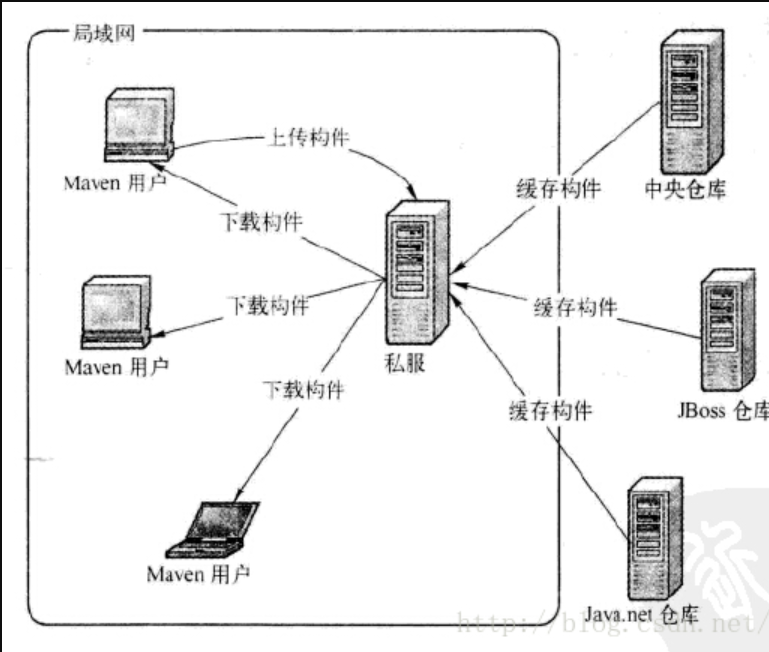
Nexus仓库类型介绍
hosted,本地仓库,通常我们会部署自己的构件到这一类型的仓库。比如公司的第二方库。
proxy,代理仓库,它们被用来代理远程的公共仓库,如maven中央仓库。
group,仓库组,用来合并多个hosted/proxy仓库,当你的项目希望在多个repository使用资源时就不需要多次引用了,只需要引用一个group即可。
管理本地仓库
我们前面讲到类型为hosted的为本地仓库,Nexus预定义了3个本地仓库,分别是Releases, Snapshots, 3rd Party. 分别讲一下这三个预置的仓库都是做什么用的:
Releases: 这里存放我们自己项目中发布的构建, 通常是Release版本的, 比如我们自己做了一个FTP Server的项目, 生成的构件为ftpserver.war, 我们就可以把这个构建发布到Nexus的Releases本地仓库. 关于符合发布后面会有介绍.
Snapshots:这个仓库非常的有用, 它的目的是让我们可以发布那些非release版本, 非稳定版本, 比如我们在trunk下开发一个项目,在正式release之前你可能需要临时发布一个版本给你的同伴使用, 因为你的同伴正在依赖你的模块开发, 那么这个时候我们就可以发布Snapshot版本到这个仓库, 你的同伴就可以通过简单的命令来获取和使用这个临时版本.
3rd Party:顾名思义, 第三方库, 你可能会问不是有中央仓库来管理第三方库嘛,没错, 这里的是指可以让你添加自己的第三方库, 比如有些构件在中央仓库是不存在的. 比如你在中央仓库找不到Oracle 的JDBC驱动, 这个时候我们就需要自己添加到3rdparty仓库。
Windows上安装Nexus
链接:https://pan.baidu.com/s/14pJELodRvqY_XkSvwBHwjw
提取码:kkys
官方安装文档:https://help.sonatype.com/repomanager3/installation/installation-methods
免安装的,下载下来,解压直接运行即可。
1.解压
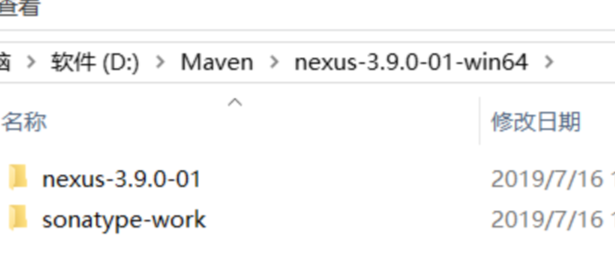
运行:
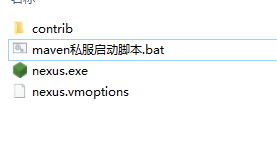
脚本:
nexus.exe /run
4.校验
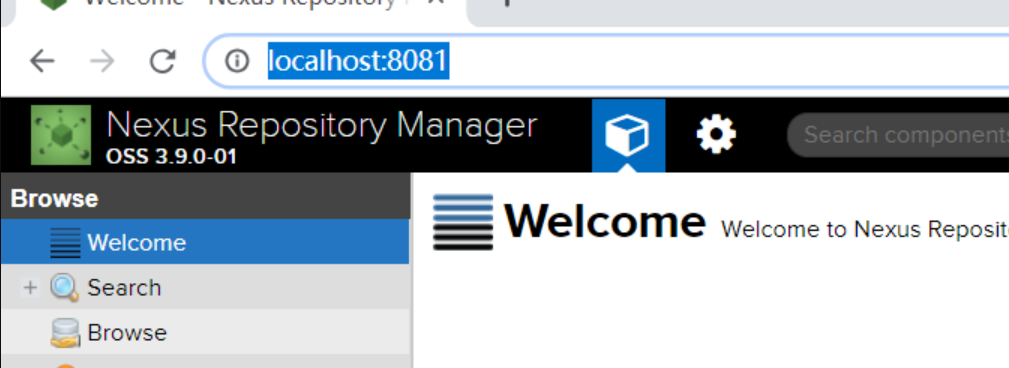
打开 http://localhost:8081/
出现如下界面即可,默认账号密码:admin/admin123
配置Nexus
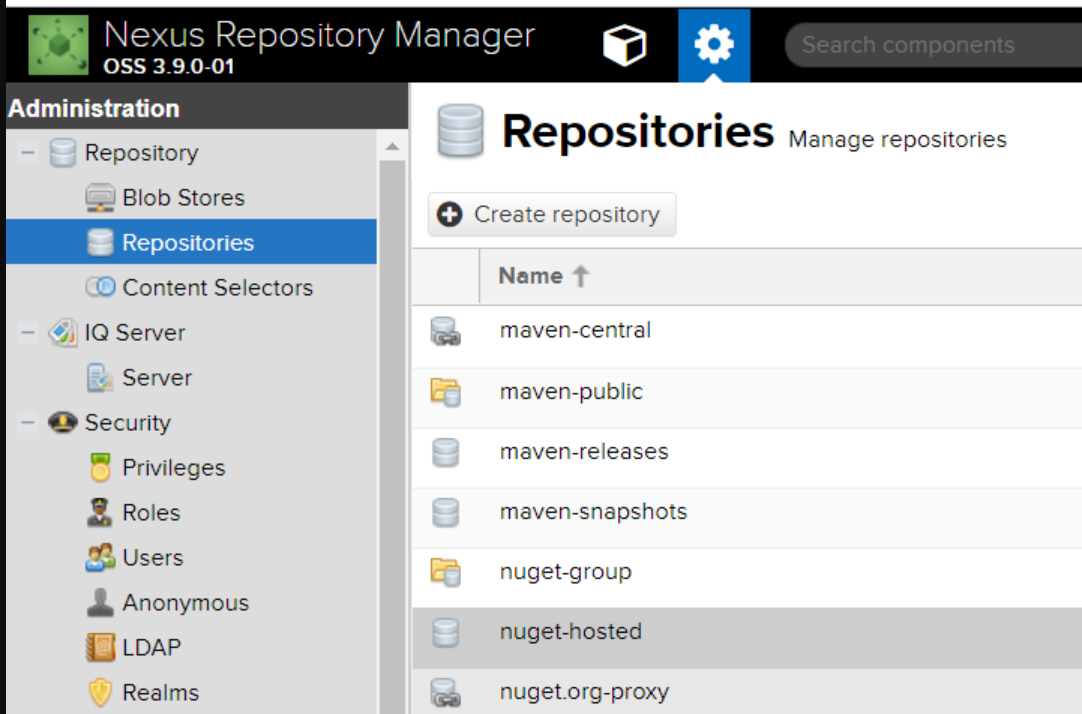
Maven用到的Repositories说明:
maven-central:maven中央库,默认从https://repo1.maven.org/maven2/拉取jar
maven-releases:私库发行版jar
maven-snapshots:私库快照(调试版本)jar
maven-public:仓库分组,把上面三个仓库组合在一起对外提供服务,在本地maven基础配置settings.xml中使用。
如果不够用,自己也可以根据博文上面的仓库类型进行选用创建。
项目配置拿去不谢
<?xml version="1.0" encoding="UTF-8"?>

<!--
Licensed to the Apache Software Foundation (ASF) under one
or more contributor license agreements.  See the NOTICE file
distributed with this work for additional information
regarding copyright ownership.  The ASF licenses this file
to you under the Apache License, Version 2.0 (the
"License"); you may not use this file except in compliance
with the License.  You may obtain a copy of the License at

    http://www.apache.org/licenses/LICENSE-2.0

Unless required by applicable law or agreed to in writing,
software distributed under the License is distributed on an
"AS IS" BASIS, WITHOUT WARRANTIES OR CONDITIONS OF ANY
KIND, either express or implied.  See the License for the
specific language governing permissions and limitations
under the License.
-->

<!--
 | This is the configuration file for Maven. It can be specified at two levels:
 |
 |  1. User Level. This settings.xml file provides configuration for a single user,
 |                 and is normally provided in ${user.home}/.m2/settings.xml.
 |
 |                 NOTE: This location can be overridden with the CLI option:
 |
 |                 -s /path/to/user/settings.xml
 |
 |  2. Global Level. This settings.xml file provides configuration for all Maven
 |                 users on a machine (assuming they're all using the same Maven
 |                 installation). It's normally provided in
 |                 ${maven.home}/conf/settings.xml.
 |
 |                 NOTE: This location can be overridden with the CLI option:
 |
 |                 -gs /path/to/global/settings.xml
 |
 | The sections in this sample file are intended to give you a running start at
 | getting the most out of your Maven installation. Where appropriate, the default
 | values (values used when the setting is not specified) are provided.
 |
 |-->
<settings xmlns="http://maven.apache.org/SETTINGS/1.0.0"
          xmlns:xsi="http://www.w3.org/2001/XMLSchema-instance"
          xsi:schemaLocation="http://maven.apache.org/SETTINGS/1.0.0 http://maven.apache.org/xsd/settings-1.0.0.xsd">
  <!-- localRepository
   | The path to the local repository maven will use to store artifacts.
   |
   | Default: ${user.home}/.m2/repository
    -->
  <localRepository>D:\Maven\repository</localRepository>


  <!-- interactiveMode
   | This will determine whether maven prompts you when it needs input. If set to false,
   | maven will use a sensible default value, perhaps based on some other setting, for
   | the parameter in question.
   |
   | Default: true
  <interactiveMode>true</interactiveMode>
  -->

  <!-- offline
   | Determines whether maven should attempt to connect to the network when executing a build.
   | This will have an effect on artifact downloads, artifact deployment, and other
原创不易,完成人机校验,阅读全文